

Cloud accounting set up and migrated for you by NCL Accountants
NCL Accountants moves businesses off spreadsheets and desktop packages onto Xero, QuickBooks, FreeAgent or Sage, then configures the software so most routine work happens automatically. It suits sole traders, landlords and companies whose records are slow to update or hard to share. You finish with one live system and accurate opening balances that your accountant can work from directly.
The work follows a set order: a review of how you invoice, get paid and give access, a software recommendation with the reasons, then configuration, data migration and reconciliation against your old records. Training by video call follows, covering only the few tasks you will do each week. The set-up fee is agreed before work starts, and the cut-off date is planned around your VAT quarter or year end. When you are ready to switch, ask for a cloud set-up quote.
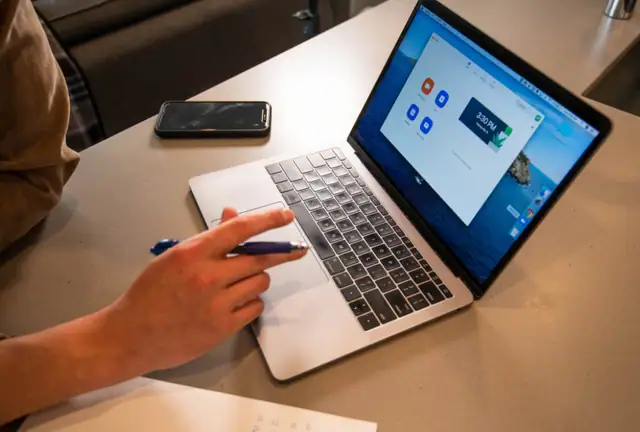
Choosing cloud accounting software that fits how you work
Which package fits depends on how the business runs. A sole trader sending a few invoices a month needs something very different from a company with staff, stock and an online shop, so the recommendation also weighs what other systems you rely on and who needs access.
Xero and QuickBooks
Both suit most small and growing businesses, with reliable bank feeds and a wide range of connected apps. They handle VAT, multiple users and project tracking, and they cope well as the business takes on staff and more transactions.
FreeAgent and Sage
FreeAgent is a common choice for sole traders and contractors because it is straightforward to use day to day. Sage remains a sensible option for businesses already familiar with it, particularly those moving from an older desktop version to its cloud products.
Xero migration and moves from desktop software or spreadsheets
Switching systems is where most of the risk lies, so every migration is planned carefully. Opening balances are agreed at a clean cut-off date, usually the start of a VAT quarter or financial year, and customer, supplier and product lists are brought across. Where it helps, historic transactions are migrated too, so year-on-year comparisons remain available in your reports. Before the old system is retired, the new balances are reconciled against the old ones so you can be confident nothing has gone missing.
Bank feeds, receipt capture and app connections
Most of the time saved by cloud accounting comes from automation, which only works if it is configured properly at the start. A rushed set-up tends to create correction work later on.
Bank rules and receipt capture with Dext
Bank feeds are connected for every account and card, and rules are written so regular payments such as rent, software subscriptions and utilities are coded automatically. Receipt capture through Dext or your software’s own app lets you photograph a receipt and have it matched to the transaction, so the evidence for each allowable expense sits with the record instead of in a drawer.
Tills, online shops and job management tools
Many businesses run their sales through an EPOS system, an e-commerce platform or job management software. These can usually be linked to your accounts so that sales, fees and refunds post themselves. Invoice templates and automatic payment reminders are set up at the same time to help you get paid sooner.
Making Tax Digital starts with digital records
Every VAT-registered business already has to keep digital records and file through compatible software. Making Tax Digital for Income Tax applies to sole traders and landlords with qualifying income over £50,000 from April 2026, over £30,000 from April 2027 and over £20,000 from April 2028, with quarterly updates sent to HMRC. A well-configured cloud system makes those updates routine, and choosing software that HMRC recognises for quarterly updates now avoids a second change of system later. Our Making Tax Digital service can file them for you, and the guide to MTD for Income Tax explains who is affected and when.
Who gains most from moving their accounts online
Businesses still working from spreadsheets usually notice the difference first, because bank feeds remove most of the manual entry. Owners on old desktop software gain access from any device and the option to share live figures with their accountant instead of emailing backups. Landlords with several properties can track income and costs for each one separately. Online sellers benefit from integrations that bring in marketplace and payment fees automatically. Once the software is running, ongoing bookkeeping and regular management accounts can be built on top of it.
Why businesses in Newcastle bring their software set-up to NCL Accountants
NCL Accountants is based in Newcastle upon Tyne and sets up cloud accounting for sole traders, limited companies, landlords, startups and partnerships across the North East and the UK, with training delivered online or by video call. Everything is explained in plain English, and enquiries usually get a reply within one working day. If you are also changing accountant, the handover can happen at the same time, and the switching guide explains how. To get started, ask for a fixed-fee cloud accounting quote.